How companies can reduce costs and improve operational efficiency by renting iPads

[Maximum 4/5 Subsidies] Can You Affordably Purchase a PC with the IT Introduction Subsidy? Explaining Eligibility and Important Notes
Are you struggling with the dilemma of "wanting to introduce PCs but not having enough budget"?
Actually, you can reduce the cost of purchasing a PC by utilizing the IT Introduction Subsidy.
[Conclusion]
By utilizing the IT Introduction Subsidy, you can significantly reduce the cost of introducing a PC.
By meeting specific conditions, you can receive up to 4.5 million yen in subsidies, making it realistic to introduce the latest IT tools while maintaining financial flexibility.
This article explains in detail how to purchase a PC at a discount using the IT Introduction Subsidy, as well as precautions during application and eligible conditions.
If you want to reduce PC introduction costs and aim for business efficiency, please read to the end.
What is the IT Introduction Subsidy?

Source: IT Introduction Subsidy 2025 HP
The IT Introduction Subsidy is a beneficial program for businesses considering purchasing PCs. Here, we will explain everything from the overview of the IT Introduction Subsidy to eligible businesses.
Overview and purpose of the IT Introduction Subsidy
The IT Introduction Subsidy is a program that subsidizes a portion of the costs when small and medium-sized enterprises and small businesses introduce IT tools. Eligible IT tools include software and services that help improve operational efficiency and promote DX, as well as hardware such as PCs and tablets. The subsidy can be used for software purchase costs, cloud usage fees (up to 2 years), and hardware purchase costs.
| Category Name | Eligible Expenses | Subsidy Rate/Max Subsidy Amount |
| Normal Category | Software, cloud usage fees, introduction-related fees | Max subsidy rate 2/3, max 4.5 million yen |
| Invoice Category | Accounting software, order/receipt systems, payment software, PCs/tablets, etc. | Max subsidy rate 4/5, max 100,000 yen for PCs, etc. |
| Invoice Category (Electronic Transaction Type) | Introduction of cloud-based "order/receipt" system | Max subsidy rate 2/3, max 3.5 million yen |
| Security Measures Promotion Category | Cybersecurity measures product introduction costs (up to 2 years) | Max subsidy rate 2/3, max 1.5 million yen |
| Multiple Company Collaboration IT Introduction Category | Software, cloud, hardware, etc. | Max subsidy rate 4/5, max 30 million yen |
What types of companies/businesses are eligible?
The IT Introduction Subsidy primarily targets small and medium-sized enterprises and small businesses operating in Japan. Capital or employee number criteria are set for each industry, and applications are possible if these criteria are met. Examples of eligibility criteria are shown below.
| Industry/Organizational Type | Capital | Number of Employees |
| Manufacturing, Construction, Transportation (excluding Rubber Product Manufacturing) | 300 million yen or less | 300 people or less |
| Wholesale | 100 million yen or less | 100 people or less |
| Services (excluding Software, Information Processing Services, and Hotels/Inns) | 50 million yen or less | 100 people or less |
| Retail | 50 million yen or less | 50 people or less |
| Rubber Product Manufacturing | 300 million yen or less | 900 people or less |
| Software, Information Processing Services | 300 million yen or less | 300 people or less |
| Hotels/Inns | 50 million yen or less | 200 people or less |
| Medical corporations, social welfare corporations, educational institutions, etc. | - | 300 people or less |
| Chambers of Commerce and Industry | - | 100 people or less |
| Small Businesses (Commercial/Service Industry) | - | 5 people or less |
| Small Businesses (Lodging/Entertainment Industry) | - | 20 people or less |
| Small Businesses (Manufacturing and Others) | - | 20 people or less |
Reference: IT Introduction Subsidy 2025 Website
Corporations that do not fall under the above may be ineligible. If you are not eligible but want to keep introduction costs down, consider used PCs or rental.
PRODIG offers used PC sales and rental services that allow you to introduce PCs at a reduced cost. We firmly support those with budget constraints in obtaining the latest work environment. Find the optimal PC utilization plan for you today and take a step forward in IT utilization!
Purchase PCs at a discount with the IT Introduction Subsidy
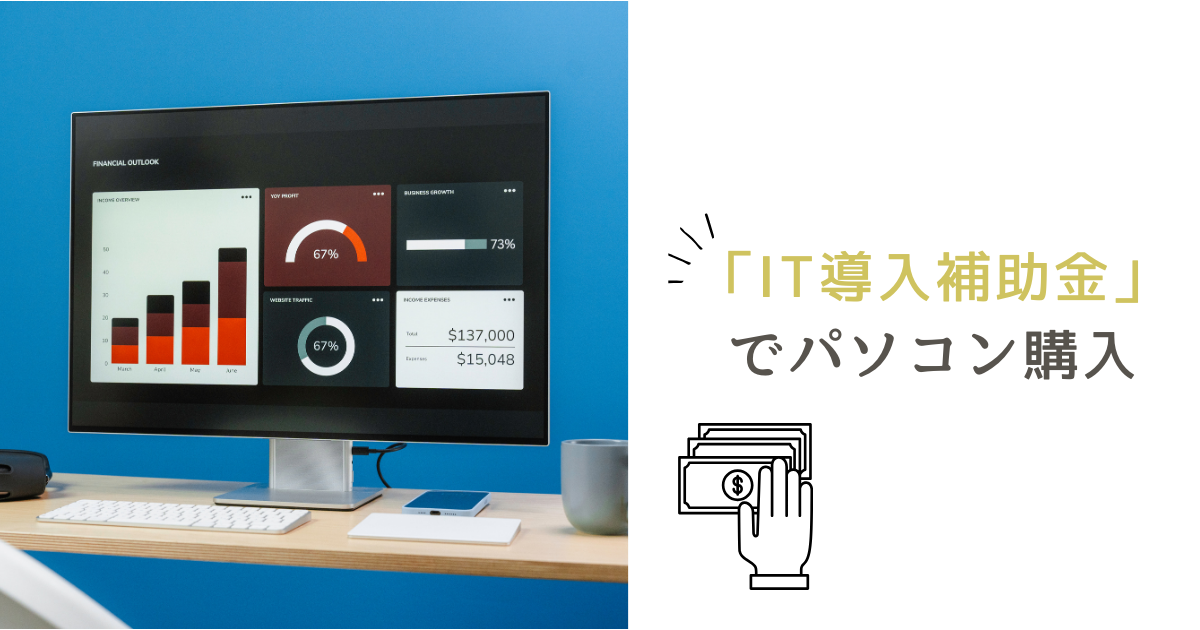
By utilizing the IT Introduction Subsidy, you can significantly reduce the burden of PC introduction costs. Here, we will focus on PCs and explain in detail the purchase method, subsidy rate, and subsidy amount.
Eligible PCs
PCs eligible for the subsidy are limited to those introduced as a set with accounting, order/receipt, or payment software that supports the invoice system.
The purchase of a PC alone is generally not eligible, but if it is purchased as a set with IT tools that meet certain conditions, such as "PC + business software," a subsidy of up to 100,000 yen may be available.
How to purchase a PC
PCs purchased using the IT Introduction Subsidy must always be purchased from registered IT Introduction Support Providers. Purchases from electronics retailers or online shops such as Amazon and Rakuten are not eligible for the subsidy.
Furthermore, PCs purchased before the subsidy is granted are also not eligible for the subsidy. Therefore, make sure to purchase after receiving the subsidy approval notice.
If you purchase a PC before applying for the subsidy, your hard-earned subsidy will go to waste. Since it takes time for the IT Introduction Subsidy to be approved, it is important to apply with plenty of time and proceed with the purchase in close consultation with the IT Introduction Support Provider.
Subsidy rate and amount
The maximum subsidy rate for PC purchases is 2/3, with an upper limit of 100,000 yen. However, to be eligible for the subsidy, the condition of "introduction as a set with IT tools" must be met.
For example, it is essential to introduce PCs along with accounting software, order/receipt software, or payment software that supports the invoice system.
If certified accounting software is introduced simultaneously and a laptop is purchased, a maximum subsidy of 4/5 can be received for the software portion and a maximum of 2/3 for the PC portion. Since purchasing a PC alone is not eligible, it is important to plan the introduction in advance.
Application procedure required for PC purchase
Here's a summary of the steps to purchase a PC using the IT Introduction Subsidy.
- Step 1: Obtain a G-Biz ID Prime
- Step 2: SECURITY ACTION Declaration
- Step 3: Collaborate with an IT Introduction Support Provider
- Step 4: Grant Application, Purchase, and Performance Report
Step 1: Obtain a G-Biz ID
To apply for the IT Introduction Subsidy, you need to obtain a G-Biz ID. A G-Biz ID is a common authentication ID required for corporations and sole proprietors to apply online.
Obtaining one requires submitting the representative's seal certificate and identity verification documents, which takes about 1-2 weeks. You cannot apply for the subsidy without a G-Biz ID, so it is recommended to obtain it early.
Obtaining an ID is free and useful for utilizing other subsidy programs. Proceed with the application through the dedicated website and carefully ensure that there are no deficiencies in the registered information.
Reference: G-Biz ID (Digital Agency)
Step 2: SECURITY ACTION Declaration
The "SECURITY ACTION" declaration is required for applying for the IT Introduction Subsidy. This is a self-declaration system to raise security awareness among small and medium-sized enterprises, and it requires obtaining either "★ One Star" or "★★ Two Stars".
The declaration can be easily made online, and involves conducting a self-diagnosis based on a checklist before making the declaration.
Since the SECURITY ACTION registration number is also required for application documents, start this process as soon as possible after obtaining your G-Biz ID.
Step 3: Collaborate with an IT Introduction Support Provider
Collaboration with a certified "IT Introduction Support Provider" is required for subsidy applications. The support provider will assist with selecting IT tools (e.g., invoice-compliant accounting software) to be introduced along with the PC, and with preparing the necessary documents for the subsidy application. Since individual applications are not possible, it is essential to consult with a support provider early and develop an introduction plan.
When choosing a provider, it is recommended to check their past adoption track record and the level of support they offer for the IT tools you wish to introduce. Registered providers can be found through the "IT Tool/IT Introduction Support Provider Search".
Step 4: Grant Application, Purchase, and Performance Report
Based on the introduction plan created with the IT Introduction Support Provider, an online grant application is submitted. Once the application is approved, a "Grant Approval Notice" is issued, allowing for the contracting, purchase, and payment of the PC and IT tools.
It is crucial to wait for the grant approval, as purchases made before grant approval will not be eligible for the subsidy. After implementation, a "business performance report" for the delivered equipment and systems is created and submitted.
Once this report is approved, the subsidy will finally be transferred to the designated account. Ensure thorough schedule management and a flawless application process.
Points to note before applying for the IT Introduction Subsidy
Please note the following before applying for the IT Introduction Subsidy:
- Confirm if your corporation is eligible
- PC purchase alone is not eligible
- Purchase from a support provider
- Purchase after the IT Introduction Subsidy is granted
Confirm if your corporation is eligible
Only small and medium-sized enterprises and small businesses that meet certain capital and employee size requirements are eligible to apply for the IT Introduction Subsidy. Please confirm beforehand whether your company is eligible.
If you are not eligible for the IT Introduction Subsidy, you can introduce PCs at a lower initial cost by utilizing rental or used PCs.
If you do not meet the IT Introduction Subsidy conditions, please consult PRODIG for used PC purchases or rental services. We will propose the optimal solution for your company.
PC purchase alone is not eligible
Applications for PCs alone are generally not eligible for subsidies. It is necessary to introduce them as a set with "IT tools" such as accounting software or order/receipt management software that supports the invoice system.
If you apply solely for the purpose of purchasing a PC, there is a high risk of being rejected in the screening process, so caution is advised. Create an introduction plan that integrates software and hardware, and consult with a support provider when applying.
Purchase from a support provider
The PC you purchase must always be bought through an IT Introduction Support Provider. If purchased from a general electronics retailer or online shopping site, even if it is a set with IT tools, it will not be eligible for the subsidy.
Support providers are specialized businesses registered with the government that assist with everything from subsidy applications to post-introduction reporting. Confirm in advance whether the PC you plan to purchase can be bought through a support provider.
Purchase after the IT Introduction Subsidy is granted
If you purchase a PC or software before the grant decision, those costs will not be eligible for the subsidy. It is necessary to conclude a contract, purchase, and make payment only after the application is approved and a formal grant decision notice is received.
If you rush to purchase before the grant decision, even if your application is approved, you will not be able to receive the subsidy. Be sure to carefully follow the PC purchase process (4 steps) and proceed with the purchase and introduction after receiving the grant decision.
Summary: Buy PCs at a discount using the IT Introduction Subsidy!
The IT Introduction Subsidy is a system that subsidizes a portion of the costs incurred by small and medium-sized enterprises and sole proprietors when introducing IT tools. Utilize the IT Introduction Subsidy to significantly reduce the cost of introducing PCs. However, there are detailed rules for eligibility conditions and application procedures. Prepare early.
Even if you cannot apply, by utilizing PRODIG's used PC sales and rental services, you can introduce PCs while significantly reducing initial investment! Actively consider it now and achieve business efficiency and cost reduction.
▼ Would you like to sell your unused devices and put the money towards the initial cost of a new PC? We offer high-price purchases.
Frequently Asked Questions (FAQ)
Can sole proprietors also apply?
Sole proprietors may also be eligible for the IT Introduction Subsidy. To receive the subsidy, it is important to meet the following requirements:
- Have submitted a business opening notification to the tax office
- Engage in profitable activities
- Manage income and expenses in ledgers
- File income tax returns
However, those who operate a business as a side job or freelancers who do not have a corporate entity may not be eligible for the subsidy.
Before applying, confirm with the public offering guidelines or the secretariat whether you are eligible for the subsidy.
Are iPads and tablets also eligible?
iPads and tablets may also be eligible for subsidies if they are introduced as an integral part of an IT tool for business use. For example, when used in conjunction with customer relationship management systems or inventory management systems to improve operational efficiency or customer service.
On the other hand, mere use for information viewing or entertainment purposes is highly likely to be ineligible for subsidies. Furthermore, even if introduced for business use, expensive accessories or apps whose necessity cannot be clearly demonstrated may be ineligible for subsidies.
When applying for a subsidy, it will be necessary to clearly state a specific plan and purpose for how iPads and tablets will be utilized in business.
Which category is right for my company?
There are several types of IT subsidies, depending on the size of the applicant company and the purpose of IT introduction.
Since the eligible expenses, subsidy rates, and application conditions differ depending on the type of subsidy applied for, consult with an IT introduction support provider.
IT introduction support providers offer various types of support related to IT introduction, such as assistance with subsidy application procedures, IT tool selection, introduction, and operation support.
Category list
新着記事


人気記事