


How Long Will the iPad Air 3 Last? Keeping It Usable in 2025 and Beyond, and Buying Smart at PRODIG


"Is the iPad Air 3 still usable?"
"Does it make sense to buy one used at this point?"
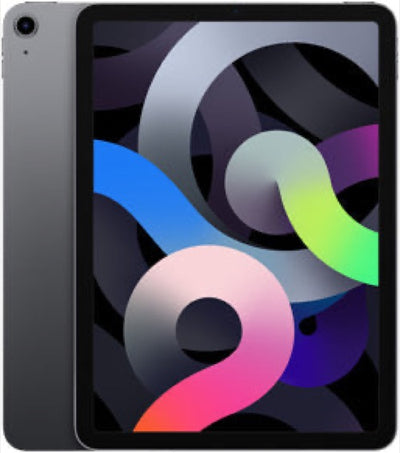
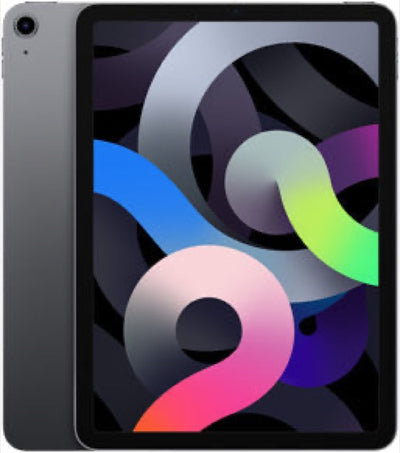
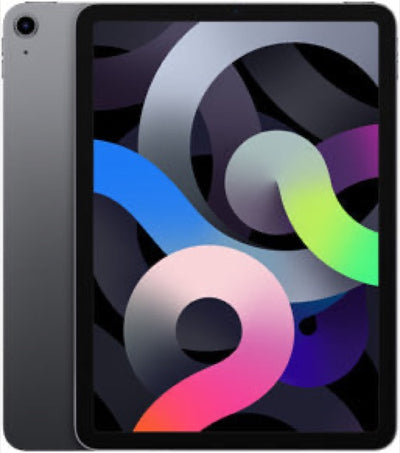
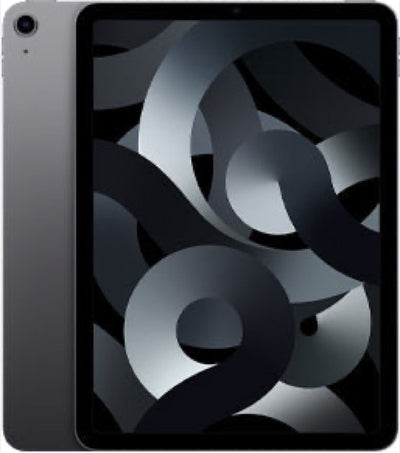
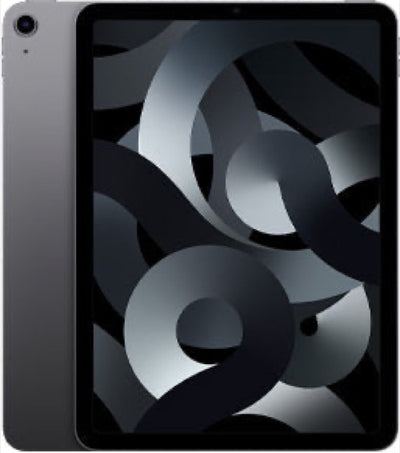
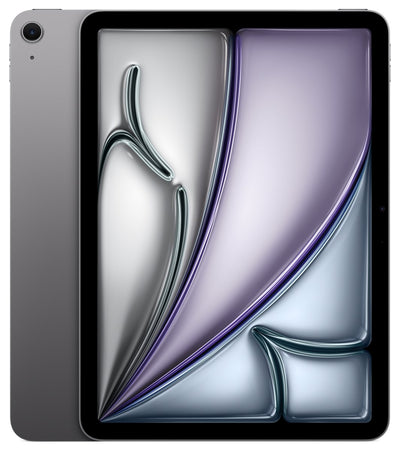
Are those the questions on your mind? If you are considering a used tablet for the first time, or you want the best possible quality for the money, the lifespan and performance of the iPad Air 3 are exactly the things worth knowing about.
The iPad Air 3 launched in 2019, but its well-balanced performance means plenty of people are still using it happily in 2025. That said, used hardware does come with genuine concerns — how long the OS updates keep coming, and how far the battery has degraded.
This article takes a hard look at how long the iPad Air 3 will stay comfortable to use, what to watch out for when buying one used, and how to buy with confidence from PRODIG. We will clear up your questions so you can make a smart decision, so do read to the end.
Is the iPad Air 3 still current in 2025 and beyond? A close look at OS support and performance

iPad Air 3 core specifications and release date
Apple released the iPad Air 3 in March 2019. It was the first iPad Air to use the A12 Bionic chip, and it drew attention for its strong processing power and its support for the Apple Pencil (1st generation) and the Smart Keyboard. As the name suggests, its thin, light design makes it easy to carry, which is a big part of the appeal. The 10.5-inch Retina display supports True Tone technology, delivering a crisp image for viewing photos and video, preparing documents, and much more. Storage came in 64 GB and 256 GB options, in both Wi-Fi and Wi-Fi + Cellular versions. Several years on from launch, its baseline performance is still more than adequate for everyday life and for business. For general use in particular — web browsing, watching video, checking email — it remains comfortable and frustration-free. That balance of a good display and capable processing keeps it an attractive option for a great many people even now.
iPadOS support and where the iPad Air 3 stands today
One of the great things about Apple hardware, and iPads especially, is the long run of OS updates. As of July 2026, the iPad Air 3 runs iPadOS 26. However, at WWDC26 in June 2026 it was confirmed that the iPad Air (3rd generation) is not on the compatibility list for iPadOS 27. iPadOS 26 is therefore its final major update. Apple does tend to keep issuing security updates for several years after major OS updates end. And even once OS updates stop, the device does not suddenly become unusable. Security updates usually continue for a while, and existing apps generally keep working without trouble for some time. The thing to be aware of is that you may lose access to the newest features, and certain new apps may stop working.
If you later need heavier apps or the latest features, performance may feel sluggish and some apps may become unavailable. For everyday tasks, though — browsing, watching video, social media, reading, light document work — you can carry on using it without problems even as the iPadOS version falls behind. Most video streaming services and social apps, for instance, are designed to work on more than just the newest OS. What matters is being honest with yourself about what you use it for and whether you actually need future updates.
Does it still hold up in 2025 and beyond? iPad Air 3 processing power and everyday comfort
The A12 Bionic chip in the iPad Air 3 still delivers ample performance in 2025. The same chip powers the iPhone XS series, which speaks for its capabilities. For everyday use — browsing websites, watching YouTube or Netflix, using social media, sending and receiving email — everything runs very comfortably. Switching between multiple apps is smooth too, so you rarely feel held up.
For business use, it handles Microsoft Office apps (Word, Excel, PowerPoint), document work in Google Workspace, and online meetings over Zoom or Google Meet without difficulty. Because it supports the Apple Pencil (1st generation), taking notes and annotating PDFs are efficient as well.
Where you may see it stumble a little, or wait longer than you would like, is on work that demands very high performance: heavy games with the latest 3D graphics, 4K video editing, or professional image editing software. In particular, each new version of iPadOS raises the system requirements, so an older device may not be fully optimised for the newest environment. Even so, ordinary mobile games are perfectly enjoyable, and photo editing in something like Lightroom is fine at a hobbyist level.
The conclusion is that the iPad Air 3 still counts as a current, working device for many purposes in 2025 and beyond. It is an especially attractive option for anyone who prioritises value for money and does not run heavy workloads. Compared with a new iPad Air, the price advantage is substantial, making it ideal for anyone who wants a tablet at a smart price.
PRODIG stocks a wide range of carefully selected used iPad Air models in good condition. Do take a look at the lineup.
Browse used iPad Air (3rd generation) here
https://prodig.co.jp/collections/ipad-air3
Browse PRODIG's used iPad Air range here
https://prodig.co.jp/collections/ipad-air
What about the battery in a used iPad Air 3?
The thing most people worry about when buying a used iPad is battery condition. Apple rated the new iPad Air 3 at up to 10 hours of web browsing or video playback — an excellent figure for a tablet of its era. But lithium-ion batteries inevitably degrade through repeated charge and discharge cycles. With a used device, there is a good chance the maximum capacity has dropped below its original level, depending on how the previous owner treated it.
A degraded battery can show up in the following ways.
-
Charge drains quickly: the battery runs down faster than it did when new.
-
Sudden shutdowns: the device powers off unexpectedly even with charge remaining.
-
Unstable operation: unsteady power delivery makes apps slow to launch and causes stuttering.
In most cases, replacing the battery resolves these symptoms. Replacing an iPad battery is more involved than an iPhone battery, however, so it is normally a job for a specialist — and you need to factor in the cost.
PRODIG carries out thorough inspections of battery condition on used iPads and buys only units in good shape. To make choosing a used iPad Air 3 worry-free, PRODIG stocks only devices with battery health of 80% or above.
Plenty of life left: how to keep an iPad Air 3 going and what to use it for

Settings and habits that extend battery life
If you want your used iPad Air 3 to stay comfortable for as long as possible, looking after the battery is essential. Lithium-ion batteries dislike heat, and running demanding tasks while charging, or leaving the device permanently plugged in, accelerates degradation. Here are the settings and habits that help.
Start by opening Settings and going to Battery, then Battery Health and Charging, to see the maximum capacity. If Optimised Battery Charging is switched off, turning it on will ease the load on the battery. It slows the charging rate as the battery approaches full — useful when you charge overnight — which limits degradation.
As for day-to-day habits, it is best not to run the battery all the way to zero, and not to leave it sitting at 100% either. The ideal range is between 20% and 80%. Other effective settings that reduce battery load include turning off Background App Refresh for apps you do not need it on, shortening the Auto-Lock interval under Display and Brightness, setting the brightness manually and keeping it moderate, and turning off Location Services where they are not needed. Avoid using or charging the device where it gets hot, such as in direct sunlight outdoors, and work somewhere cool instead. Following these habits will get the most out of your used iPad Air 3's battery and keep it comfortable to use for much longer.
Managing storage to keep performance smooth
Storage management matters enormously for keeping an iPad Air 3 running smoothly. When storage fills up, the iPad slows down, you cannot install new apps, and in the worst case the system becomes unstable. On the 64 GB model in particular, storing a lot of photos, video, and games can fill the drive very quickly.
There are several effective approaches. First, open Settings, go to General, and check iPad Storage. This shows at a glance how much space each app is taking up. Work through the biggest offenders first. Uninstall apps you almost never use, and consider uploading photos and video to a cloud service such as iCloud or Google Photos and deleting them from the iPad itself. That alone can free up a great deal of space.
Some apps also accumulate bloated cache data. Safari history and website data, along with social apps such as LINE and X (formerly Twitter), tend to build up large caches. In some cases you can clear these from within the app's settings; in others, deleting and reinstalling the app resets them. Getting into the habit of checking storage regularly and removing what you do not need will keep the iPad Air 3 responsive. Leaving headroom in storage also matters for avoiding trouble during OS updates.
Still plenty to enjoy: recommended apps that run well on the iPad Air 3
The iPad Air 3 is a few years old, but thanks to the A12 Bionic chip it still runs a great many apps comfortably in 2025. Popular everyday apps and the ones that help with work and study mostly run without any issue.
On the video side, all the major services — YouTube, Netflix, Amazon Prime Video, Hulu — play smoothly at high quality. Safari and Google Chrome are comfortable for web browsing, so looking things up and shopping online are frustration-free. Social apps you use daily, such as X (formerly Twitter), Instagram, Facebook, and LINE, all work fine too.
For work and study, Microsoft Office (Word, Excel, PowerPoint), Google Docs and Sheets, and note-taking apps such as GoodNotes 5 are all perfectly usable. GoodNotes 5 in particular pairs beautifully with the Apple Pencil (1st generation), making it ideal for handwritten notes and marking up PDFs. On the gaming front, demanding titles with cutting-edge graphics such as Genshin Impact are playable if you turn the settings down, but they may not feel smooth. Mid-range titles such as Monster Strike, Puzzle & Dragons, and Pokemon GO are no trouble at all. Light photo and video editing is also possible with apps like Lightroom Mobile and CapCut.
The iPad Air 3 hits a sweet spot: it runs the apps most people use every day without complaint. As long as you are not chasing the very heaviest new software, it has plenty of useful life ahead of it.
Accessories compatible with the iPad Air 3
One of the iPad Air 3's real strengths is the range of accessories it supports. Apple's own accessories in particular can transform how useful the device is.
First, it works with the Apple Pencil (1st generation). The Pencil feels natural on the iPad Air 3's display and is useful for a wide range of creative and study tasks — taking notes, drawing, annotating PDFs. Handwriting input is a genuinely convenient feature for students and business users alike.
Then there is the Smart Keyboard. This official keyboard attaches directly to the iPad Air 3 with no charging or pairing required, and doubles as a stand. It lets you use the iPad Air 3 much like a laptop, writing documents and replying to email efficiently. It is easy to carry too, which makes it ideal for working in a cafe or on the move.
You can find these Apple accessories on the used market as well. PRODIG provides information on compatible accessories alongside the iPad Air 3 itself, so do check. Beyond Apple's own products, there are also plenty of third-party Bluetooth keyboards, styluses, and protective cases available. Choosing the right accessories for your budget and your needs opens up even more of what the iPad Air 3 can do.
Browse used iPad Air (3rd generation) here
https://prodig.co.jp/collections/ipad-air3
Is buying a used iPad Air 3 a smart move? How to avoid regret

Used iPad Air 3 prices compared with new units and other models
The iPad Air 3 is several years old and is no longer sold new. If you want one now, used is effectively the only option. Used prices vary considerably by model (Wi-Fi or Cellular), storage capacity, and — most importantly — the condition of the individual device. As a rough guide, a Wi-Fi 64 GB model typically runs from the high 20,000 yen range to the low 40,000 yen range, and a 256 GB model from the high 30,000 yen range to the high 50,000 yen range.
By comparison, a current iPad Air with the M2 chip starts in the high 90,000 yen range for a new 64 GB Wi-Fi model, so a used iPad Air 3 has an overwhelming price advantage. It falls short of the latest models on performance, but factor in the price gap and the iPad Air 3's value for money stands out.
Set against the other main iPad lines, the iPad Air 3 also sits in an appealing position.
-
Standard iPad line: affordable even new as the entry-level option, though the iPad Air 3 can be superior on processing power and display quality.
-
iPad Pro line: outstanding performance, but very expensive. Unless you have professional needs, it can be more machine than you require.
A used iPad Air 3 fits the "I don't need top-tier performance, I want to keep the price down, but I still want an iPad that feels good to use" brief exactly — a genuinely smart choice. PRODIG states the condition grade clearly on every listing and prices fairly.
Browse PRODIG's used iPad range here
https://prodig.co.jp/collections/ipad
Browse PRODIG's used iPad Air range here
https://prodig.co.jp/collections/ipad-air
Browse PRODIG's used iPad Pro range here
https://prodig.co.jp/collections/ipad-proseries
The pros and cons of buying used

Buying used brings its own advantages and disadvantages that do not apply to new hardware. Understanding both is the first step towards a smart decision you will not regret.
Advantages:
-
Outstanding value for money: this is the big one. Models that are expensive new cost far less used. It is ideal if you are not fixated on the newest release and want to buy a device that is still plenty capable at a bargain price.
-
Better for the environment: choosing used reduces demand for new manufacturing and cuts waste. It is a sustainable way to buy that lowers your environmental impact.
-
More choice: older models and particular storage configurations that are no longer available new are often easy to find on the used market.
-
Lower upfront cost: very useful for newcomers who just want to try an iPad, or for anyone who needs a second tablet temporarily and wants to keep the outlay down.
Disadvantages:
-
Possible battery degradation: by its nature, a used device may have a battery that has degraded from new. That can mean shorter runtime or sudden shutdowns.
-
Exterior condition: signs of use such as scratches, dents, and grime are common. Condition varies a lot between individual units, so it needs checking closely.
-
Warranty coverage and length: the warranty may be shorter than on a new device, or absent altogether. That can leave you uneasy about support after purchase.
-
Missing accessories: the charger, cable, or other accessories may not be included. Bear in mind you might need to buy them separately.
How you cover these disadvantages is the key to buying used well. The next section goes through the countermeasures in detail.
What really matters when buying a used iPad Air 3
There are several things to pay particular attention to when buying a used iPad Air 3. Check these thoroughly and you will avoid trouble and get the device you want with confidence.
-
Exterior condition and included accessories: start by examining the photographs and description closely for the device's exterior condition (scratches, dents, cracked screen, and so on). We recommend choosing a retailer that states its condition grades clearly (S, A, B, C and so on), as PRODIG does. Check too whether all the accessories are present (charger, cable, SIM tool). If anything is missing, factor in the cost of buying it separately.
PRODIG's condition grades are as follows.
-
Grade S: Brand new, unopened.
-
Grade A: Excellent condition. Very slight marks or signs of use, but clean overall.
-
Grade B: Good condition. Scratches and small dents from normal use are visible, but there are no functional problems.
-
Grade C: Sound condition. Noticeable scratches or paint loss, but no effect on function.
-
-
Battery condition and runtime: one of the most important points. Where possible, check the stated maximum battery capacity or ask the retailer. iPads do not always let you check maximum battery capacity directly in Settings the way an iPhone does, which makes the retailer's trustworthiness all the more important. PRODIG checks battery condition against its own inspection standards and does not sell units that fall short.
-
Why functional testing matters: it is essential to confirm that every function works correctly — Wi-Fi, camera, speakers, microphone, buttons, touchscreen, Apple Pencil support, SIM card recognition, and so on. A trustworthy retailer will have completed these checks before listing the device.
-
SIM-free or carrier-locked: if you are buying a Wi-Fi + Cellular model, check whether it is SIM-free or locked to a particular Japanese mobile carrier. A SIM-free unit accepts any carrier's SIM card, while a carrier version limits which SIM cards you can use. If you plan to use a low-cost MVNO SIM in particular, a SIM-free unit is the safe choice.
Checking all of this yourself can be difficult, which is exactly why choosing a trustworthy used retailer is so important.
The reassurance and warranty that come with buying a used iPad Air 3 from PRODIG
Plenty of people feel that used hardware is a gamble, or worry about receiving a faulty unit. PRODIG has put a comprehensive system in place to remove that worry so you can choose a used iPad Air 3 with complete confidence.
The biggest source of that confidence is our exacting quality standards and rigorous inspection process. Every iPad that arrives at PRODIG goes through dozens of functional tests and a full clean, carried out by trained staff. As well as checking the exterior for damage, we verify the display, touch response, camera, microphone, speakers, Wi-Fi and cellular connectivity, all the buttons, and battery condition — a detailed functional check across the board. Only iPads that pass this demanding inspection are put on sale, so you can use yours comfortably from the day it arrives.
We also provide substantial post-purchase warranty and support in case anything goes wrong. As well as covering initial defects, we accept returns and exchanges within a set period. That takes a great deal of the sting out of the "what if a used device breaks" worry. Full details of the warranty period and terms are available on PRODIG's official site.
PRODIG also runs a physical store in Akihabara, Tokyo, with a long track record as a specialist in used smartphones and tablets. Precisely because used devices are hard to judge from online information alone, buying from an established and trusted retailer like PRODIG lets you get an iPad Air 3 both cheaply and with peace of mind.
Browse used iPad Air (3rd generation) here
https://prodig.co.jp/collections/ipad-air3
Read more about PRODIG's warranty
https://prodig.co.jp/pages/guarantee
When to think about replacing an iPad Air 3, and how to trade in or upgrade with PRODIG
Signs that it is time to replace your device
Some readers will already own an iPad Air 3 and be weighing up a replacement. So when should you seriously start thinking about it? Here are the specific symptoms that signal it is time.
-
Battery life is extremely poor: the charge drains almost immediately, or the device shuts down suddenly despite showing charge remaining — and it happens often. If it is getting in the way of everyday use, that is a strong reason to replace it.
-
Noticeably slow or stuttering: apps are slow to launch, browsing feels heavy, multitasking is not smooth, and everyday operations have become frustrating. If this became obvious after an OS update in particular, it may be a sign the hardware is reaching its limits.
-
The latest iPadOS and apps no longer support it: once the iPad Air 3 falls off the list for major iPadOS updates, you risk losing access to new features and finding that certain apps stop working.
-
Storage is permanently full: you are constantly out of space and cannot save anything new without deleting photos or apps. This happens especially easily on the 64 GB model.
-
Serious physical damage: a badly cracked screen, buttons that no longer respond, or a loose charging connector — physical damage where the repair would be expensive.
-
Your needs have changed: you want to play more demanding games or do serious video editing, and a new, heavier workload has emerged that the iPad Air 3 cannot handle.
If several of these apply to you, it may well be a good moment to move to a newer iPad.
Which model should you move to from an iPad Air 3?
There are several options when upgrading from an iPad Air 3. Pick the one that matches your use case and budget.
-
iPad Air (4th generation and later): if you liked the design and concept of the iPad Air 3, its successors are the most natural choice. From the iPad Air 4 onwards they support Face ID and use far more powerful chips (A14 Bionic, M1, M2). The display is closer to edge-to-edge and they support the Apple Pencil (2nd generation), which makes creative work more comfortable. PRODIG stocks used iPad Air models too, so do take a look.
Browse PRODIG's used iPad Air range here
https://prodig.co.jp/collections/ipad-air -
Standard iPad line: if you want the core iPad experience at the lowest cost, the standard iPad is the one to go for. It uses a capable chip and has more than enough performance for everyday use. PRODIG stocks used standard iPads across a wide range of generations.
Browse PRODIG's used iPad range here
https://prodig.co.jp/collections/ipad -
iPad Pro line: if you want the best performance and the most advanced features, the iPad Pro is the answer. Enormous processing power from the M-series chips, a high-performance display with ProMotion, and a LiDAR scanner give it the specification for professional work. It is especially worth considering if you do heavy work such as video editing or graphic design.
Browse PRODIG's used iPad Pro range here
https://prodig.co.jp/collections/ipad-pro
Each model has different strengths, so weigh up what you actually use a tablet for (mostly video? a lot of creative work? portability above all?) and your budget, and pick the right one for you.
Sell your old iPad Air 3 to PRODIG and put the money to work
Once you have decided to move to a newer iPad, you need to work out what to do with the iPad Air 3 you have been using. Leaving it in a drawer at home wastes an asset that still has value. This is where PRODIG's device buying service comes in.
PRODIG pays fair, competitive prices for your iPad Air 3, backed by years of experience and reliable valuation expertise. Whether it works perfectly or has picked up a few marks, we assess it carefully and offer a price you can be happy with. The iPads we buy go on to a new owner and get a second working life, which helps reduce environmental impact too.
We accept devices in person at our PRODIG Akihabara store. Bring your device in and we will value it on the spot, so you can turn it into cash quickly. Our professional valuation staff check the condition of each iPad carefully and quote a fair price, so you can relax.
Selling your old iPad Air 3 sensibly means you can put the proceeds towards a new iPad or use them elsewhere. Take the opportunity to use PRODIG's in-store buying service and start your new iPad life the smart, affordable way.
PRODIG buys unwanted smartphones too — upgrade the smart way https://kaitori.prodig.co.jp/
PRODIG Akihabara also posts updates on X (formerly Twitter) https://x.com/prodig_inc
Used the right way, the iPad Air 3 still has a lot to give
The iPad Air 3 remains a tablet with ample performance for a great many people in 2025, and outstanding value for money. It runs iPadOS 26 and is comfortable across a wide range of uses, from everyday tasks to business, study, and hobbies. For browsing, watching video, social media, and light document work in particular, you are unlikely to find its performance wanting.
When choosing an iPad Air 3 on the used market, battery condition, exterior state, and functional testing all matter — but pick a trustworthy retailer like PRODIG and rigorous inspection and a solid warranty let you buy with confidence. If used hardware has felt like a risk to you, PRODIG's warranty and quality standards should take most of that worry away.
And if you currently own an iPad Air 3 and are considering an upgrade, PRODIG's in-store buying service lets you sell the device you no longer need and put the money towards a new iPad.
Choose wisely around how you actually use it, and the iPad Air 3 has plenty of working life left. We hope this article helps you find the right iPad.
Browse used iPad Air (3rd generation) here
https://prodig.co.jp/collections/ipad-air3
-
 iPhone 13 Proは中古で買うべき?2026年の価格・スペック・注意点を徹底解説
-
 How long can a Surface Pro 5 be used? A professional thoroughly explains performance differences by model and precautions for buying used! [Latest 2025 Edition]
-
 iPad 値上げはいつから?2026年6月の新価格一覧と「今買うなら」の賢い選び方
-
 iPad Pro 第3世代はいつまで使える?中古購入でも後悔しないポイントを解説
-
 中古iPadを法人で導入するなら「保証付き」で安心|PRODIGが選ばれる理由
-
 iPad Air 第3世代(2019年) Wi-Fi+Cellular 256GB が激安で手に入る!?このチャンスをお見逃しなく!


Other Services


新着記事


人気記事


