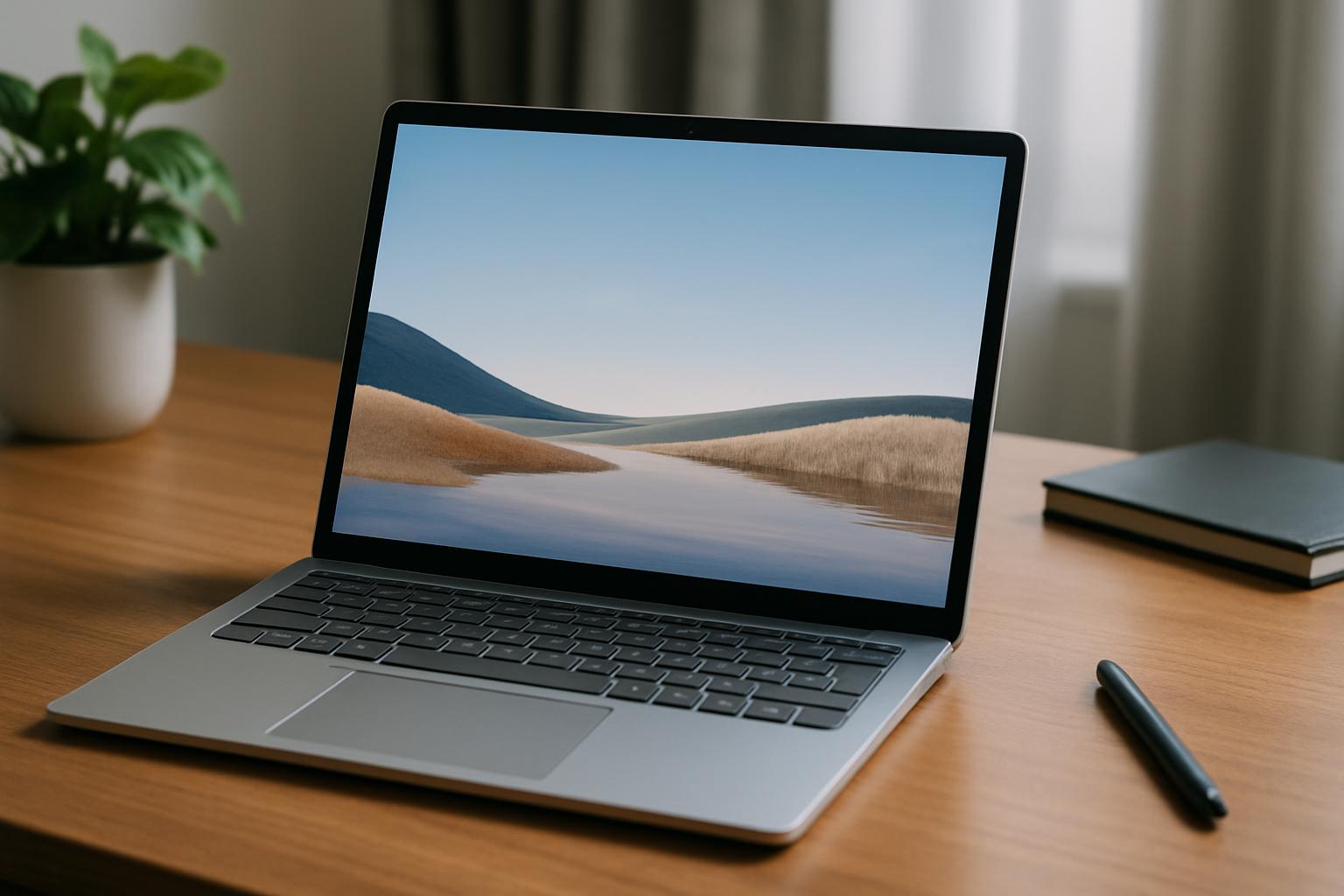
The "Surface Laptop 4 13.5-inch" continues to be chosen by many business professionals and creators, even as we enter 2025. This article thoroughly explains the five reasons why this model can still be your best partner, for those who don't want to compromise on either work or private life. From its sophisticated design, high processing power, beautiful display, long-lasting battery, and reliable Windows experience, the full scope of how the Surface Laptop 4 13.5-inch can enhance your daily life will be revealed. Those considering a purchase will also rediscover its appeal.
\Click here for the Surface Laptop 4 13.5-inch product page/
Reasons why the Surface Laptop 4 13.5-inch is still chosen
The "Surface Laptop 4 13.5-inch," released in 2021, continues to be chosen by many users even several years after its launch. The reason is that it not only offers high performance but also continuously provides an excellent balance and timeless value that integrates into daily life. Its sophisticated design, performance that comfortably handles daily tasks, and high compatibility with the Microsoft ecosystem continue to receive high praise for a wide range of uses, from business to private life. In particular, the fact that high-quality experiences can be obtained at a more affordable price due to the release of successor models making it an older model, is a major factor in its continued selection in 2025.
What makes a laptop comfortable for both work and private life?
A laptop that is comfortable to use for both work and private life requires several important elements. It needs to be not just high-performing, but also user-friendly for various scenarios. Below are the essential points for a comfortable laptop.
| Element | Points for achieving comfort |
|---|---|
| Portability |
Considering outdoor use, a lightweight model under 1.3kg is ideal. A compact body size also reduces the burden of storing it in a bag and carrying it. |
| Performance |
Processing power capable of smoothly handling not only routine document creation and web browsing but also multitasking with multiple applications simultaneously is essential. An Intel Core i5 or higher, or AMD Ryzen 5 or higher CPU, 8GB or more of RAM, and fast SSD storage are good benchmarks. |
| Battery Life |
Long battery life, allowing for extended work without a power source, is crucial for mobile laptops. Models with long battery life in actual use, not just stated values, tend to be preferred. |
| Display |
High resolution for vivid display, an appropriate screen size, and eye-friendly quality are required. Especially, a 3:2 aspect ratio, which makes web pages and document files easier to view, is advantageous for increasing productivity. |
| Usability (Keyboard/Touchpad) |
A comfortable keyboard with good key feel for long typing sessions and an accurate, smooth touchpad are directly linked to work efficiency. |
| Connectivity |
It's important to have versatile interfaces such as USB Type-A and USB Type-C ports, which allow connecting necessary peripherals. |
| OS and Security |
The latest Windows OS provides a secure environment with high security features and a rich array of applications. |
| Design |
A stylish and high-quality design that fits seamlessly into both business and private settings contributes to the joy of ownership. |
A laptop that meets these elements at a high level can be called an ideal device that comfortably supports both work and private life in today's diverse lifestyles.
Reason 1: Sophisticated Design and Excellent Portability
The Appeal of the Surface Laptop 4 13.5-inch: Carry It Anywhere
The "Surface Laptop 4 13.5-inch" is a laptop whose excellent portability expands your range of activities. Its lightweight design of approximately 1.265kg (Alcantara model) to 1.288kg (metal model) and slim body measuring 308mm in width, 223mm in depth, and 14.5mm in thickness give it a size similar to a slightly larger A4 notebook. It fits neatly into your bag, allowing you to easily carry it anywhere. It supports your productivity no matter the location, whether you're working at a cafe, reviewing documents on the go, or giving a presentation at a business trip destination. Its weight is light enough to carry all day without becoming a burden, making it ideal for mobile business professionals and students.
Its slim design, combined with a hinge that opens and closes smoothly with a single finger, provides a pleasant experience every time you use it. In today's mobile world, this outstanding portability is one of the big reasons why the Surface Laptop 4 13.5-inch continues to be chosen.
Key Specs: Size and Weight
| Item | Details |
|---|---|
| Width | 308mm |
| Depth | 223mm |
| Height (Thickness) | 14.5mm |
| Weight (Alcantara model) | Approx. 1.265kg |
| Weight (Metal model) | Approx. 1.288kg |
Design that Shines in Both Business and Private Settings
The Surface Laptop 4 13.5-inch is not just easy to carry; its sophisticated design, which elevates any setting it's placed in, is also a major attraction. Its minimalist form, stripped of unnecessary elements, creates a modern and stylish impression, conveying a professional atmosphere in business settings and an elegant lifestyle in private use.
The keyboard surface features two different materials, depending on the model:
- Alcantara material: Used in the platinum and ice blue models, Alcantara is a suede-like artificial leather also found in luxury car interiors. It combines a warm, soft touch with excellent durability, water repellency, and stain resistance. It's gentle on the palms during long typing sessions, resists dirt, and is easy to maintain.
- Metal material: Used in the sandstone and matte black models, the metal material gives a cool, modern impression and is characterized by high robustness and ease of maintenance.
Both materials boast a high-quality finish with meticulous attention to detail, providing a sense of ownership satisfaction. Additionally, the availability of various color options like platinum, ice blue, sandstone, and matte black allows you to choose according to your personality and preferences. The design, which combines functionality with beauty, is one of the reasons why the Surface Laptop 4 13.5-inch is loved by so many users.
Reason 2: High Performance to Accelerate Your Work
The Surface Laptop 4 13.5-inch not only boasts a sophisticated design but also high performance that strongly supports daily work and personal use. The latest processors, fast storage, and ample memory work together to dramatically improve user productivity.
Surface Laptop 4 13.5-inch's Processing Power for Comfortable Multitasking
The Surface Laptop 4 13.5-inch is equipped with either an 11th Gen Intel Core processor (Core i5-1135G7 or Core i7-1185G7) or an AMD Ryzen 5 4680U Microsoft Surface Edition mobile processor, offering processing performance capable of smoothly handling tasks even with multiple common applications open simultaneously. This allows for stress-free parallel execution of everyday business tasks such as web browsing, document creation, email checking, and online meetings.
Specifically, the Core i7-1185G7 in the Intel model is highly regarded for its performance, which surpasses typical laptop CPUs. Additionally, the AMD Ryzen model also recorded an average benchmark score of 6,506pts, ensuring comfortable operation even with multiple applications like Office and Zoom running.
Furthermore, fast LPDDR4x 4266MHz memory is available in 8GB, 16GB, or up to 32GB, and the storage uses ultra-fast PCIe 3.0 x4 connected SSDs (256GB, 512GB, 1TB). This ensures rapid OS and application startup and file read/write operations, improving the overall system responsiveness and creating a comfortable multitasking environment with minimal waiting time.
| Item | Key Specifications of Surface Laptop 4 13.5-inch |
|---|---|
| CPU | 11th Gen Intel Core i5-1135G7 / i7-1185G7 AMD Ryzen 5 4680U Microsoft Surface Edition |
| Memory | 8GB / 16GB / 32GB LPDDR4x 4266MHz |
| Storage | 256GB / 512GB / 1TB SSD (PCIe 3.0 x4) |
| Graphics | Intel Iris Xe Graphics (Intel model) AMD Radeon Graphics (AMD model) |
Handles Creative Tasks Smoothly
The Surface Laptop 4 13.5-inch is capable of handling not only business tasks but also certain creative tasks. The Iris Xe Graphics in the Intel model boasts higher graphics performance compared to conventional CPU-integrated graphics, allowing for smooth execution of simple image and video editing.,,
Especially for tasks requiring graphics performance, such as high-resolution photo editing and light video editing, combining an Intel Core i7 processor with 16GB or more of memory can provide a more comfortable working environment.
However, for tasks requiring high GPU performance, such as professional 3D rendering or video editing, a PC equipped with a dedicated graphics card is more suitable, which should be noted.
Nevertheless, with its high processing power and integrated graphics performance, the Surface Laptop 4 13.5-inch can sufficiently meet everyday creative needs, such as image processing for business documents and video editing for social media posts, helping you bring your ideas to life.,
Reason 3: Beautiful Display and Intuitive Operability
The Surface Laptop 4 13.5-inch offers a beautiful display and comfortable operability that captivates users in all scenarios, from daily work to entertainment. Its design balances visual satisfaction with ease of use, enriching your digital life.
Enjoy Content on a Vibrant Screen
The Surface Laptop 4 13.5-inch features Microsoft's proprietary "PixelSense™ Display." This display boasts a high resolution of 2256 x 1504 (201 PPI), rendering photos, videos, and even text with stunning clarity. Details are sharply depicted, allowing it to truly shine in creative work.
Furthermore, while most mainstream laptops use a 16:9 aspect ratio, the Surface Laptop 4 13.5-inch adopts a 3:2 aspect ratio. This taller screen is highly advantageous for tasks that require displaying a lot of vertical information, such as web browsing, document creation, and spreadsheet editing. The increased amount of information displayed at once reduces the need for scrolling, contributing to improved work efficiency.
Display Specification Comparison
| Item | Surface Laptop 4 13.5-inch | Typical Laptop (Reference) |
|---|---|---|
| Display Size | 13.5 inches | Approx. 13-14 inches |
| Resolution | 2256 x 1504 (201 PPI) | 1920 x 1080 (Full HD) |
| Aspect Ratio | 3:2 | 16:9 |
| Touch Operation | 10-point multi-touch support | Often not supported |
| Pen Input | Microsoft Pen Protocol (MPP) support (Surface Pen sold separately) | Often not supported |
Touch Operation and Comfortable Keyboard Experience
The Surface Laptop 4 13.5-inch goes beyond mere laptop usability. With its 10-point multi-touch PixelSense™ Display, it allows for intuitive operation similar to a smartphone or tablet.
Tapping directly on the screen or pinching to zoom in and out provides a smoother operating experience that cannot be achieved with just a mouse or trackpad.
Additionally, with a separately sold Surface Pen, you can write directly on the display. You can sign documents, annotate PowerPoint presentations, or sketch ideas with a natural feeling, as if writing on paper, even in a digital format.
The keyboard and trackpad also prioritize comfort for long working hours. The full-size keyboard with a 19mm key pitch offers a moderate key feel and responsiveness, supporting accurate and speedy typing.
Furthermore, the spacious and precise large trackpad (115x77mm) allows for smooth gesture operations, enabling comfortable use without a mouse. The Alcantara palm rest (on some models) offers a luxurious and warm tactile feel, reducing strain on the wrists during extended use.
Reason 4: Long-Lasting Battery and Extensive Connectivity
Reliable Battery Life for On-the-Go Use
The "Surface Laptop 4 13.5-inch" offers long-lasting battery life, allowing you to work confidently on the go or while traveling. Officially, the Intel Core model boasts up to 17 hours of battery life, while the AMD Ryzen model offers up to 19 hours. This means that for typical office work, web browsing, and video viewing, you can comfortably use it all day without a power adapter.
For example, it proves its worth in various scenarios such as long flights, working at a cafe, or giving presentations in places where power outlets are scarce. Actual measurements report about 8 hours and 3 minutes of continuous video playback, allowing you to fully enjoy movies or online learning in your private time.
Furthermore, even if the battery runs low, it supports charging via its USB Type-C port, allowing you to use generic USB PD (Power Delivery) compatible chargers or mobile batteries. This flexibility means you can use your smartphone charger if you forget the dedicated Surface Connect charger, which is another attractive feature.
\Click here for the Surface Laptop 4 13.5-inch product page/
Seamless Integration with Essential Peripherals
Despite its thin profile, the "Surface Laptop 4 13.5-inch" features essential ports, ensuring smooth connectivity with various peripherals. You can easily connect devices crucial for business, like projectors and external displays, or those for private use, such as headphones and USB drives.
The included ports and wireless connections are as follows:
| Category | Type | Details |
|---|---|---|
| Wired Connection Ports | USB Type-C port | Connects to the latest peripherals and supports charging the device with USB PD-compatible chargers. However, it does not support Thunderbolt. |
| USB Type-A port | Directly connects traditional USB devices such as USB drives and mice. | |
| 3.5mm headphone jack | Connects wired headphones or headsets for clear audio during online meetings or music listening. | |
| Surface Connect port | Used for charging with the included power adapter and connecting dedicated accessories like Surface Docks for extended functionality. | |
| Wireless Connection | Wi-Fi 6 (802.11ax) | Achieves fast and stable wireless internet connection, making large file downloads and online meetings comfortable. |
| Bluetooth 5.0 | Connects Bluetooth-enabled devices such as wireless mice, keyboards, and headphones with low latency. |
This extensive connectivity enables an efficient workflow anywhere and offers flexible usage to meet diverse needs. In particular, the inclusion of Wi-Fi 6 and Bluetooth 5.0 optimizes it for the latest wireless environments, providing a stress-free digital experience.
Reason 5: Reliable Windows Experience and Microsoft Ecosystem
As a device provided by Microsoft, one of the greatest strengths of the "Surface Laptop 4 13.5-inch" lies in its deep integration with the Windows operating system and the Microsoft ecosystem.
It provides robust security features that ensure continued safe use after purchase and productivity features that streamline daily tasks, powerfully supporting your digital life. With the advent of Windows 11, the experience is even more refined, maximizing the performance of the Surface Laptop 4.
Balancing Security and Productivity
The Surface Laptop 4 13.5-inch, running the latest Windows 11, combines robust security features to protect personal and business data with a variety of productivity features to efficiently manage daily tasks. It provides peace of mind and comfort in every scenario, from device startup to daily use.
Robust Security Features to Protect Data
In today's world of increasingly sophisticated cyber threats, Windows 11 comes standard with multi-layered security features to protect users' devices and data. The Surface Laptop 4 leverages these features to provide a secure computing environment.
For instance, "Windows Hello" allows for quick and secure sign-ins using facial recognition or fingerprint authentication, strengthening security while eliminating the need for password entry.
Additionally, "Microsoft Defender" protects devices from viruses and malware in real-time, with regular updates provided to address the latest threats. Furthermore, hardware-level security features like "Secure Boot" and "TPM 2.0" ensure security from startup. "Smart App Control", which blocks the execution of suspicious applications, is also included, protecting against unknown threats.
| Security Feature | Key Benefits |
|---|---|
| Windows Hello | Enables secure and swift sign-ins via facial or fingerprint recognition, reducing the hassle of password entry. |
| Microsoft Defender | Protects the device in real-time from viruses and malware, with regular updates to address the latest threats. |
| Secure Boot | Prevents the loading of unauthorized software during PC startup, ensuring the security of the boot process. |
| TPM 2.0 | Protects sensitive information like encryption keys at a hardware level, enhancing overall device security. |
| Smart App Control | Prevents attacks from untrusted applications and suspicious files, protecting the system. |
Productivity Features to Support Efficient Work
Windows 11 is designed with a focus on enhancing user productivity, and when combined with the Surface Laptop 4's beautiful display and intuitive operability (touch controls and a comfortable keyboard), it provides a smoother and more efficient working environment.
"Snap Layouts" and "Snap Groups" efficiently arrange multiple windows on the screen, making multitasking significantly more comfortable. Additionally, the "Virtual Desktops" feature allows you to create different desktops for each project and instantly switch between them according to your work, keeping your desktop clutter-free and allowing you to focus on your tasks.
Furthermore, utilizing "Focus Assist" enables you to temporarily suppress notifications, ensuring focused work time. The revamped Start menu and Taskbar provide easy access to frequently used apps and files, and the Widgets feature allows you to check essential information at a glance, without interrupting your workflow. The recently highlighted AI feature "Microsoft Copilot" is also integrated into Windows 11, with AI assisting in streamlining various tasks such as document creation and information retrieval.
\Click here for the Surface Laptop 4 13.5-inch product page/
Integration with Other Surface Devices and Office
The Surface Laptop 4 13.5-inch performs excellently on its own, but its true potential is maximized when combined with other devices and services offered by Microsoft. As a central part of the Microsoft ecosystem, it seamlessly connects your digital life.
Powerful Integration with Microsoft 365
Microsoft 365 is a subscription service that significantly enhances the productivity of the Surface Laptop 4. You not only get access to the latest versions of familiar Office apps like Word, Excel, PowerPoint, and Outlook, but its integration with cloud storage "OneDrive" allows you to access files and collaborate from anywhere, on any device.
Documents you create are automatically saved to OneDrive, allowing you to resume editing immediately from your Surface Laptop 4, smartphone, tablet, or other devices. Moreover, with "Microsoft Teams" integrated into Windows 11, online meetings and chat-based collaboration are seamless, greatly improving communication and productivity in a business environment.
| Benefits of Microsoft 365 | Details |
|---|---|
| Latest Office Apps | You can always use the latest versions of Office apps, such as Word, Excel, PowerPoint, and Outlook. |
| Cloud Storage with OneDrive | Large-capacity cloud storage is provided, allowing file access and synchronization from anywhere. |
| Real-time Collaborative Editing | Multiple users can edit documents simultaneously, improving the efficiency of collaborative work. |
| Advanced Security | Cloud-based security features are enhanced, including file protection and data loss prevention. |
| Microsoft Teams Integration | Video conferencing, chat, and file sharing are seamless, promoting team collaboration. |
Seamless Inter-device Connectivity
The Surface Laptop 4 seamlessly connects with other Surface devices and smartphones, supporting your digital workflow without interruption.
For example, by using it in conjunction with other Surface devices like "Surface Pro" or "Surface Go", you can use the optimal device for each purpose while synchronizing settings and data through your Microsoft account, maintaining a consistent working environment.
Furthermore, with Windows 11's "Phone Link" feature, you can connect your Android smartphone to your Surface Laptop 4 to access photos, send and receive messages, and check notifications from your PC. This allows you to complete many operations on your Surface Laptop 4 without picking up your smartphone, reducing interruptions and increasing productivity.
Additionally, integration with Xbox allows you to enjoy gaming on your Surface Laptop 4, meaning the Microsoft ecosystem enriches all your activities, from work to private life.
Summary
The "Surface Laptop 4 13.5-inch" is a device that combines sophisticated design with high portability and performance that comfortably handles daily tasks. Its vibrant display, intuitive touch operation, and comfortable keyboard enhance work efficiency, while its long-lasting battery and extensive connectivity allow it to excel anywhere. Furthermore, the reliability of Windows and its integration with the Microsoft ecosystem enrich your digital life. Even now, it remains an optimal choice for those who seek comfort in both work and private life.
\Click here for the Surface Laptop 4 13.5-inch product page/